Loading... Please wait...










- Home
- Lighting
- LED Lighting
- Luce TrioTone® Square Plinth Light
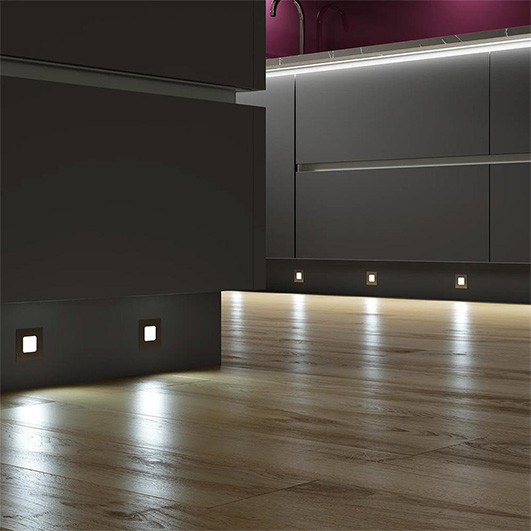



Luce TrioTone® Square Plinth Light

FREE Delivery on orders over £100 MORE INFORMATION >
The right lighting can completely change the feel of your kitchen. The Luce TrioTone® LED Plinth Light adds a soft glow at floor level, creating a warm and welcoming finish that's perfect for everyday living.
Not sure which light colour to choose? With Sensio's TrioTone technology, you don't have to decide straight away. Simply use the switch on the back of the light to choose between warm white, natural white or cool white, so you can find the look that feels just right for your home.
Its slim design sits neatly in your kitchen plinth, while the fully diffused light creates a smooth, even glow with no visible LED spots. Available as a single light or in a convenient pack of four.
Features
- Choose from three light colours
- Soft, even glow with no visible LED spots
- Slim design fits neatly into your kitchen plinth
- Perfect for creating ambient lighting
- Quick and easy to install
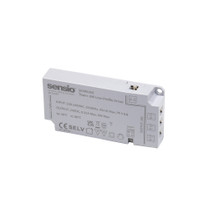
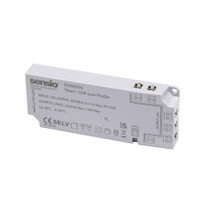
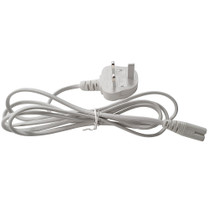
Please note: The Luce TrioTone LED Plinth Light must be connected to a compatible Sensio Titan+ Driver, along with a cable & plug to operate.
If you're installing more than one light, make sure your driver has enough capacity to power all of the lights you're connecting.
Not sure which driver you need? Use the Driver Calculator to find the right one, or get in touch and we'll be happy to help.
• Tape measure
• Pencil
• 44mm hole saw
• Power drill
Installation Steps
1. Decide where you'd like each plinth light to be fitted and mark the position with a pencil.
2. Using a 44mm hole saw, carefully drill a hole for each light.
3. Before fitting the light, choose your preferred light colour using the small switch on the back.
4. Feed the cable through the hole and gently push the light into place until it sits flush with the plinth.
5. Connect the light to a compatible Sensio Titan+ Driver. If you're installing more than one light, simply connect each light using the daisy-chain connectors.
6. Once everything is connected, plug in the driver and switch the power on.
Helpful tip: We recommend testing the lights before fitting them permanently, so you can make sure you're happy with the light colour you've chosen.
Related Products
-
 £15.76
-
 £19.21
-
 £5.22
£5.22