Loading... Please wait...










- Home
- Lighting
- LED Lighting
- Halo TrioTone® Round Plinth Light
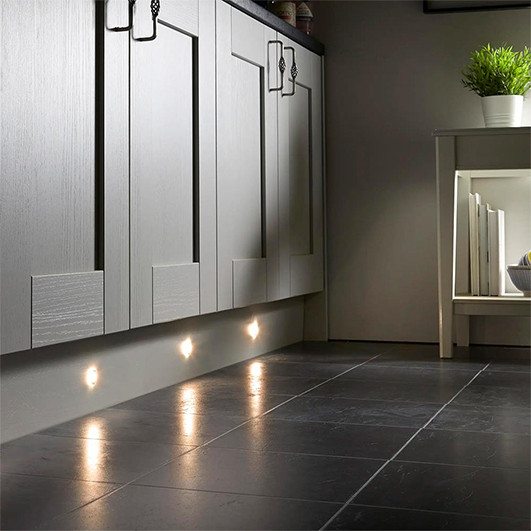



Halo TrioTone® Round Plinth Light

FREE Delivery on orders over £100 MORE INFORMATION >
Plinth lighting is a simple way to add extra light to your kitchen while making it feel warmer and more welcoming. The Halo TrioTone® LED Plinth Light creates a soft glow at floor level, adding subtle lighting without overpowering the room.
Not sure which light colour to choose? With Sensio’s TrioTone® technology, you don’t have to decide straight away. Use the switch underneath the light to choose warm white, natural white or cool white. This makes it easy to find the right look for your kitchen.
Its compact design sits neatly recessed into your kitchen plinth. Need more than four lights? Simply link extra lights together to suit your space.
Features
- Quick and easy to fit
- Energy efficient
- Mood lighting from the choice of three different colour options
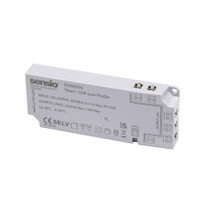
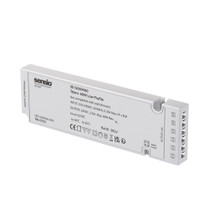
Please note: The Halo TrioTone® LED Plinth Light must be connected to a compatible Sensio Titan+ Driver to operate.
If you're installing more than one light, make sure your driver has enough capacity to power all of the lights you're connecting.
Not sure which driver you need? Use Sensio's helpful Driver Calculator to find the right one, or get in touch and we'll be happy to help.
• Tape measure
• Pencil
• 25mm hole saw
• Power drill
Before You Start
Make sure the power is switched off before beginning. Check that your chosen Sensio driver has enough power for all the lights you plan to connect.
Installation Steps
1. Decide where you would like each plinth light to sit. Measure carefully and mark each position with a pencil.
2. Using a 25mm hole saw, carefully drill a hole for each light.
3. Before fitting the lights, use the switch on the back to choose between warm white, natural white or cool white.
4. Feed the cable through the hole, then gently push the light into place until it sits neatly against the plinth.
5. Connect the first light to a compatible Sensio Titan+ Driver. When fitting more than one light, use the daisy-chain leads to connect the lights together.
6. Check that all connections are secure before connecting the driver to mains power and switching the lights on.
Helpful Tip: Test the lights before pushing them fully into place. This allows you to check that they are working and that you are happy with the light colour you have selected.
Related Products
-
 £19.21
-
 £32.08
-
 £5.22
£5.22
-
 £2.48
£2.48